

Introduction
func_SMILES2IMG brings live, editable 2D chemical structures, molecular descriptors, and 3D protein models directly into Microsoft Excel, Word, and PowerPoint.
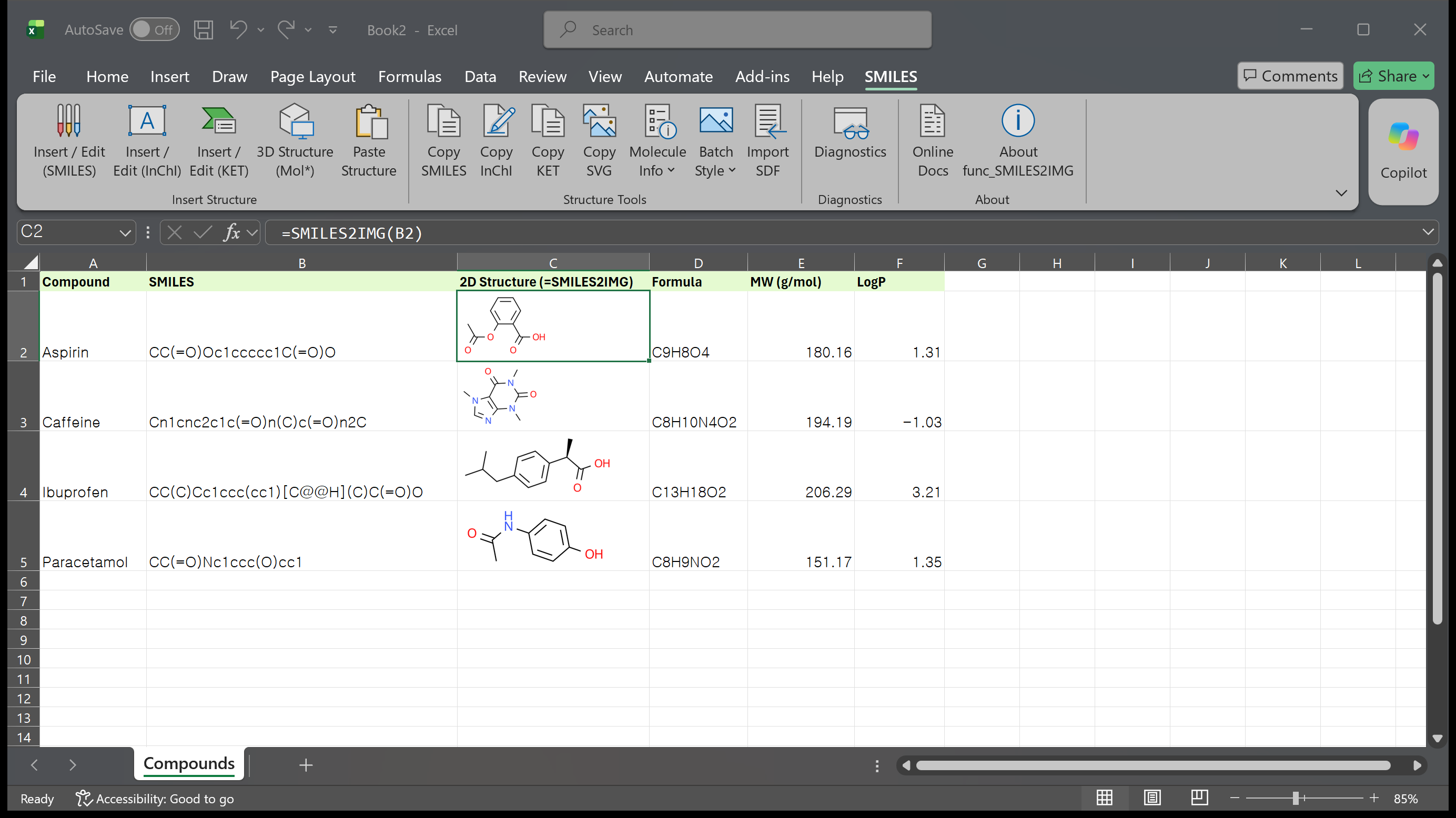
Instead of copy-pasting static screenshots from external drawing tools, write simple formulas in Excel to render hundreds of rows at once, or insert structures in Word and PowerPoint that stay editable on double-click. Core rendering and property calculations run locally on your PC—free and open-source under the MIT license.
What You Can Do Across Microsoft Office
| Office App | What You Can Do | Guide |
|---|---|---|
| Excel | Render compound names, CAS numbers, SMILES, or InChI into live in-cell 2D structures (=SMILES2IMG, =NAME2IMG), run 49 property, 3D complexity, conversion, and SAR formulas across tables, and import .sdf files. | Overview → |
| Word | Insert crisp inline structures into manuscripts and fixed-width SAR tables, copy descriptors cleanly via Molecule Info, switch the whole document to ACS B&W, and copy lossless Vector SVG. | Overview → |
| PowerPoint | Convert slide textboxes into transparent dark-mode structures, embed 360°-rotatable 3D proteins (.glb), and switch deck themes with Batch Style. | Overview → |


All three apps include the built-in offline Ketcher 2D sketcher and Mol* 3D macromolecular viewer—double-click any inserted structure or reaction scheme to re-edit it in place without disturbing your layout.
Why func_SMILES2IMG?
| Feature | func_SMILES2IMG | ChemDraw / JChem for Office | Chem4Word |
|---|---|---|---|
| License & Cost | Free & Open-Source (MIT) | Paid commercial subscription | Free & open-source |
| Supported Office Apps | Excel + Word + PowerPoint | Excel + Word + PowerPoint | Word only |
| Excel Structure Cells | Native in-cell formulas (=SMILES2IMG) & .FLOAT shapes (no sheet conversion needed) | Requires worksheet conversion or proprietary objects | N/A |
| 3D Macromolecules | Built-in Mol* (rotatable .glb 3D models & 2D PNG) | Requires separate 3D software | Not supported |
| Installation Rights | No Admin rights needed (per-user PowerShell setup) | Requires Admin installer & license activation | Requires setup wizard |
Local-First Privacy & Cross-Platform Sharing
Local Execution vs. Optional Network Calls
Core 2D rendering (EPAM Indigo), 2D sketching (EPAM Ketcher), 3D viewer runtime (Mol*), all physicochemical/3D/SAR calculations, .sdf import, Batch Style, and SVG copy run locally on your PC without uploading your structures.
Internet access is used only when you explicitly invoke one of these optional features:
- PubChem Name / CAS Lookup: Resolving an uncached compound name or CAS number (
=NAME2IMG,=NAME2SMILES,=SMILES2NAME, or Substance Name inMolecule Info) queries PubChem once and caches the result locally on disk. - RCSB PDB Fetch in Mol*: Downloading a public 3D structure by 4-letter PDB code (
1CRN,6LU7, etc.) fetches from RCSB PDB / PDBe (opening local.pdb/.ciffiles works offline). - Updates & Online Installer: Clicking
[Check for Updates]inAboutor runninginstall.ps1connects to GitHub Releases.
Viewing Documents Without the Add-In (Mac & Colleagues)
- Word (
.docx) & PowerPoint (.pptx): 2D structures are saved as standard high-DPI PNG images and 3D proteins as standard.glb3D models—anyone on Windows, macOS, iPad, or Office for the Web can view, print, and export to PDF without installing the add-in. - Excel (
.xlsx): Cached images and calculated values remain visible on other PCs; before sharing a final sheet externally where recalculation (F9) may occur, paste formula columns as values or export to PDF.
System Requirements
| Component | Requirement | Notes |
|---|---|---|
| OS | Windows 10 / Windows 11 | Supports both 32-bit and 64-bit systems |
| Microsoft Office | Office 2016 / 2019 / 2021 / 2024 / Microsoft 365 | Desktop installations |
| Runtime | .NET Framework 4.8 & Edge WebView2 | Pre-installed on Windows 10 & Windows 11 |
Next Steps
- Installation — Install across Excel, Word, and PowerPoint with one PowerShell command—no admin rights required.
- Getting Started (First Molecule) — Render your first structure in Excel, Word, or PowerPoint.
- Interactive Playbooks — Download the self-contained Excel (10 tabs), Word (6 pages), and PowerPoint (8 slides) playbooks.